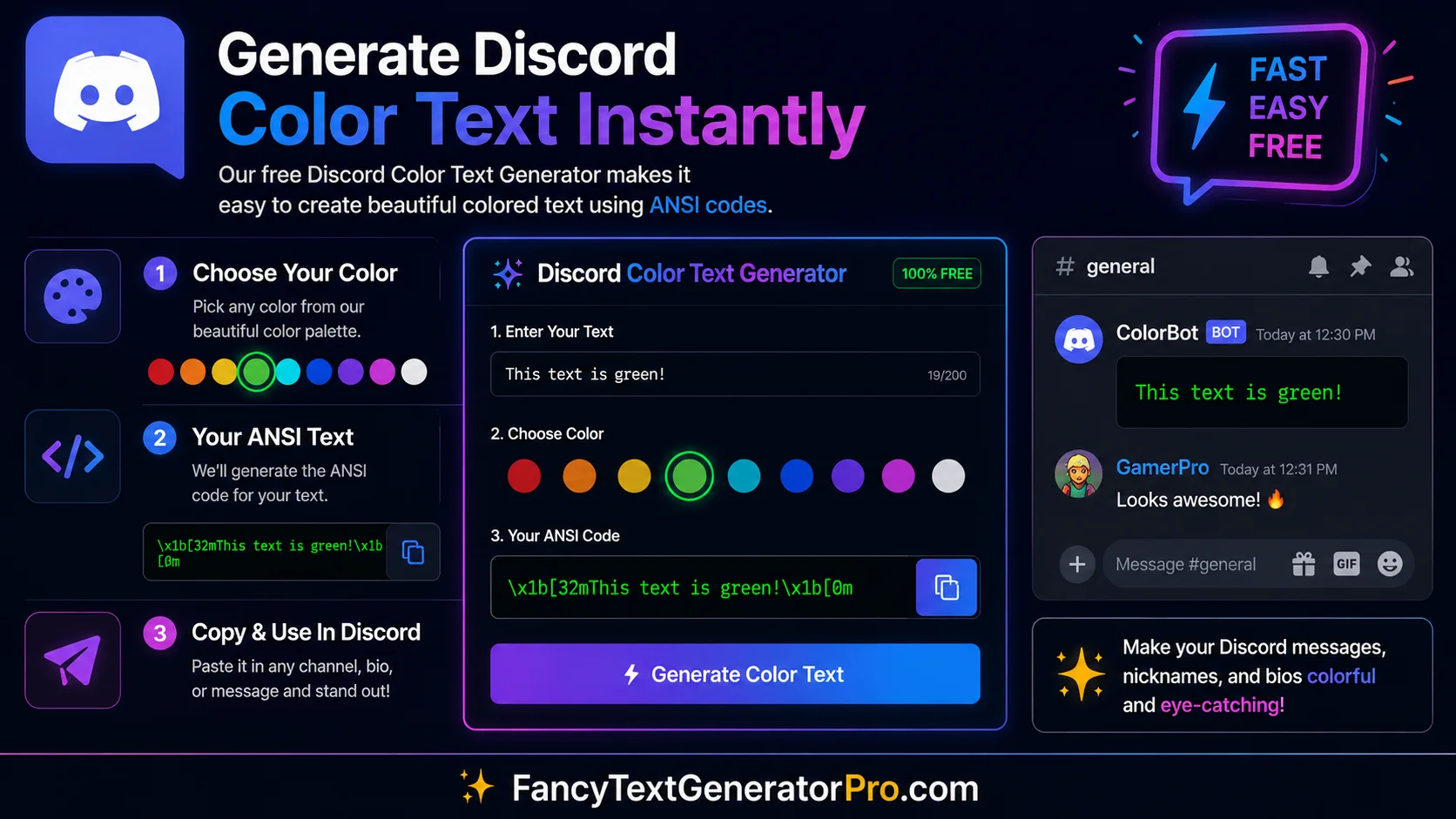
Discord ANSI Colors Explained: The Complete Step-by-Step Guide
If you have ever tried to create complex, multi-colored announcements for your gaming server, you likely hit a wall using basic markdown syntax. While traditional Discord highlighting is great for simple messages, it cannot combine multiple colors, and it completely lacks background color support.
ANSI Quick Reference
- Start an ANSI block with:
```ansi - Reset formatting:
\u001b[0m - Red text:
31 - Green text:
32 - Blue text:
34 - White background:
47 - Bold text:
1 - Underline text:
4
What is a Discord ANSI escape code?
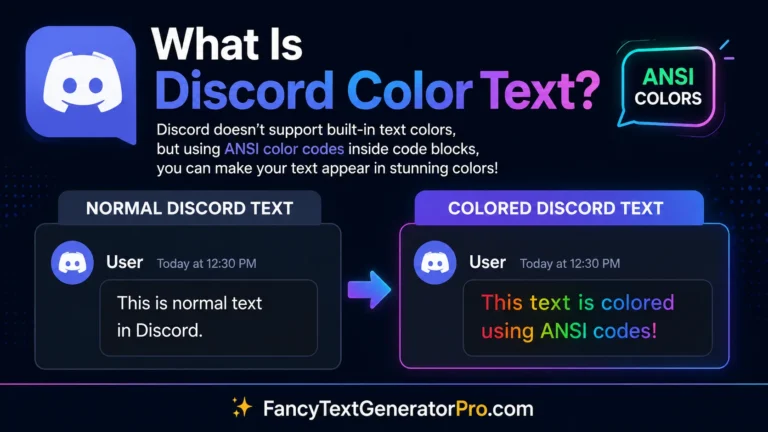
An ANSI escape code is a standardized formatting string used inside Discord code blocks to precisely control text color, background color, and formatting styles like bold and underline. Introduced to Discord in late 2021, it allows users to stack multiple colors on a single line, completely bypassing the limitations of basic markdown highlighting.
Not a technical user? Don’t worry. If you are looking for a simpler way to color text without learning codes, read our beginner-friendly Discord Color Codes List.
The Anatomy of an ANSI Code (Beginner Breakdown)
At first glance, an ANSI formatting string looks like complete gibberish: \u001b[1;31m. However, it is actually a very simple, predictable formula. Let’s break down exactly what each piece means.
\u001b[FORMAT;COLORm
- The ESC Character (\u001b[): This specific string tells Discord, “Hey, stop printing text normally, the next numbers are a color command!”
- FORMAT: A number that dictates the style (e.g.,
1for Bold). - COLOR: A number that dictates the specific color (e.g.,
31for Red). - The Letter ‘m’: This closes the command, telling Discord that the formatting rules are finished.
⚠️ How do I type the ESC Character?
Many beginners get stuck trying to type the escape character on their keyboard. You do not need a special keyboard to type this! Simply type the backslash \ followed by u001b[ exactly as written. Discord’s engine will automatically read those exact text characters as the official ESC command when placed inside an ANSI code block.
The Master ANSI Reference Tables
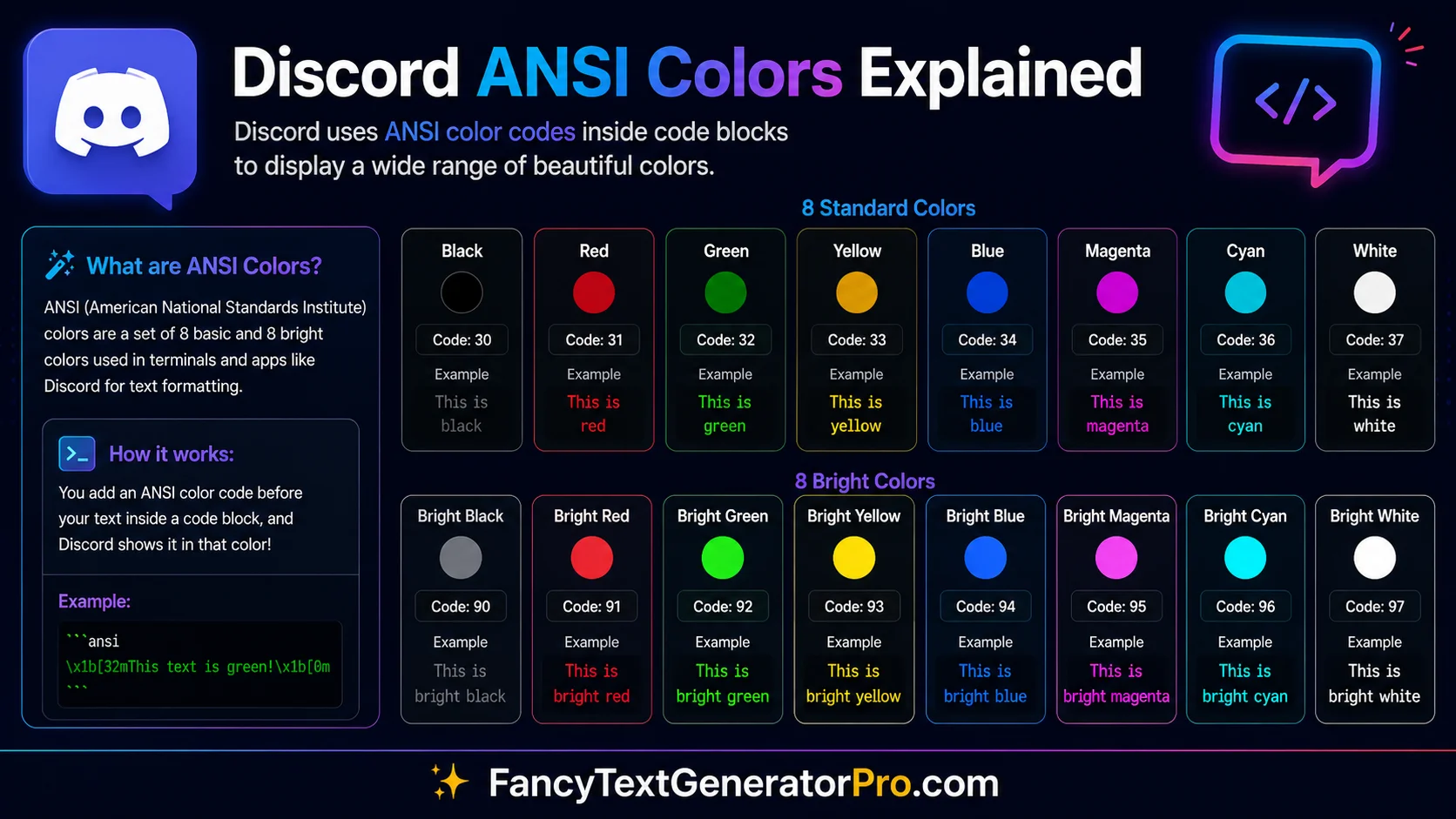
To use ANSI formatting in Discord, you must open your code block by typing three backticks followed by the word ansi (like this: ```ansi). Once inside, use the numbers from the tables below to build your color strings.
If you only need simple single color formatting, our Discord Color Codes List provides a faster beginner friendly approach.
How to Stack Colors: A Progressive Tutorial
We designed this section specifically for absolute beginners. We will start with a single color, and progressively build up to a complex, multi-layered message using the “Fill-in-the-Blank” template approach.
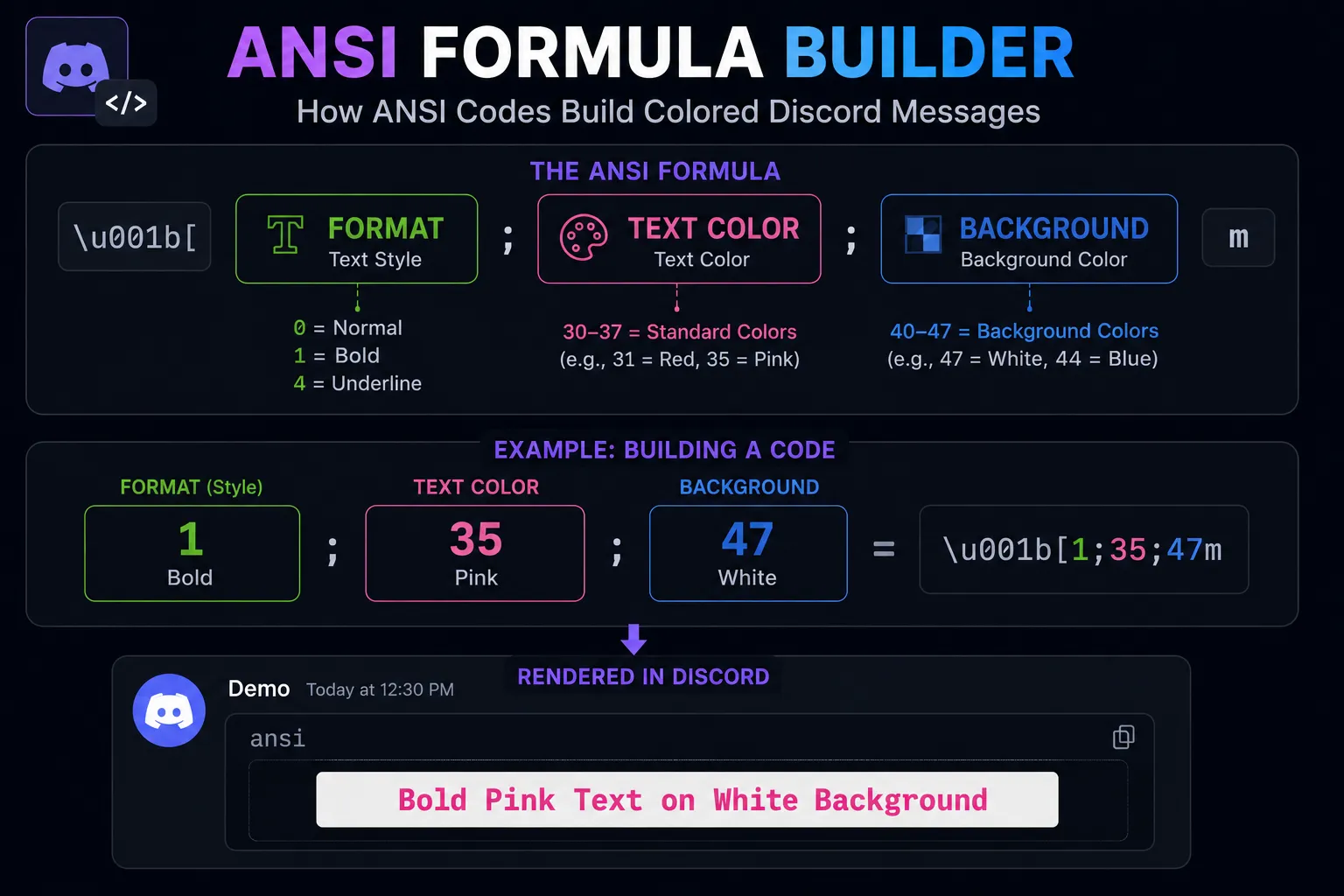
ANSI codes are built by combining formatting, text color, and background color values into a single command.
Step 1: Simple Foreground Color
Let’s make our text Pink. Looking at our tables above, the color code for Pink text is 35.
```ansi
\u001b[35mThis text will be vibrant pink!
```
Step 2: Adding a Background Color
Now, let’s put that Pink text on top of a White background. To combine multiple codes, we just separate them with a semicolon (;). The code for a White background is 47.
```ansi
\u001b[35;47mThis is pink text sitting on a solid white background!
```
Step 3: Adding Formatting (Bold/Underline)
Finally, let’s make that exact same text Bold. The format code for Bold is 1. We just add it to the front of our sequence.
```ansi
\u001b[1;35;47mThis is bold, pink text on a white background!
```
💡 The Golden Rule of Resetting
When you type an ANSI code, it colors everything that comes after it until the end of the block. If you want to stop coloring and return to normal text, you must use the reset code: \u001b[0m. Think of it as the “off switch” for your current color!
Why Discord Uses ANSI Escape Codes
ANSI formatting originally comes from terminal applications and command-line interfaces. ANSI escape sequences are special commands that tell Discord how to format text inside ANSI code blocks.
Discord introduced ANSI formatting inside code blocks in late 2021 to provide more control over text colors and styling. Unlike standard markdown which only highlights text in pre-determined ways based on programming languages, ANSI allows you to explicitly define foreground colors, background colors, bold text, and underline formatting independently.
Frequently Asked Questions
Do ANSI escape codes work on mobile?
Yes. As of recent Discord updates, ANSI code blocks natively render colors and backgrounds on both the iOS and Android Discord applications. However, typing the long code sequences is significantly easier on a desktop keyboard.
Why is my ANSI code showing up as raw text?
The most common reason an ANSI string fails is because you forgot to declare the language. You must type ```ansi (with the word ‘ansi’) on the very first line before writing your text.
Can I use custom hex colors with ANSI?
No. Discord’s implementation of ANSI is strictly limited to the 8 standard colors (gray, red, green, yellow, blue, pink, cyan, and white). You cannot inject custom hex or RGB codes.
Can I use multiple colors in a single Discord message?
Yes. ANSI formatting allows you to apply different colors to different sections of a message by resetting and reapplying formatting codes within the same ANSI code block.
Explore the Discord Formatting Hub
- Ultimate Discord Color Text Guide (Pillar)
- How to Color Text in Discord (For Beginners)
- Discord Color Codes Master List
- Discord Code Block Colors Guide